
Experimental Animation
Optional gesture and animation helpers. The theme works without this feature.
This feature is experimental. The library can be used without this feature.
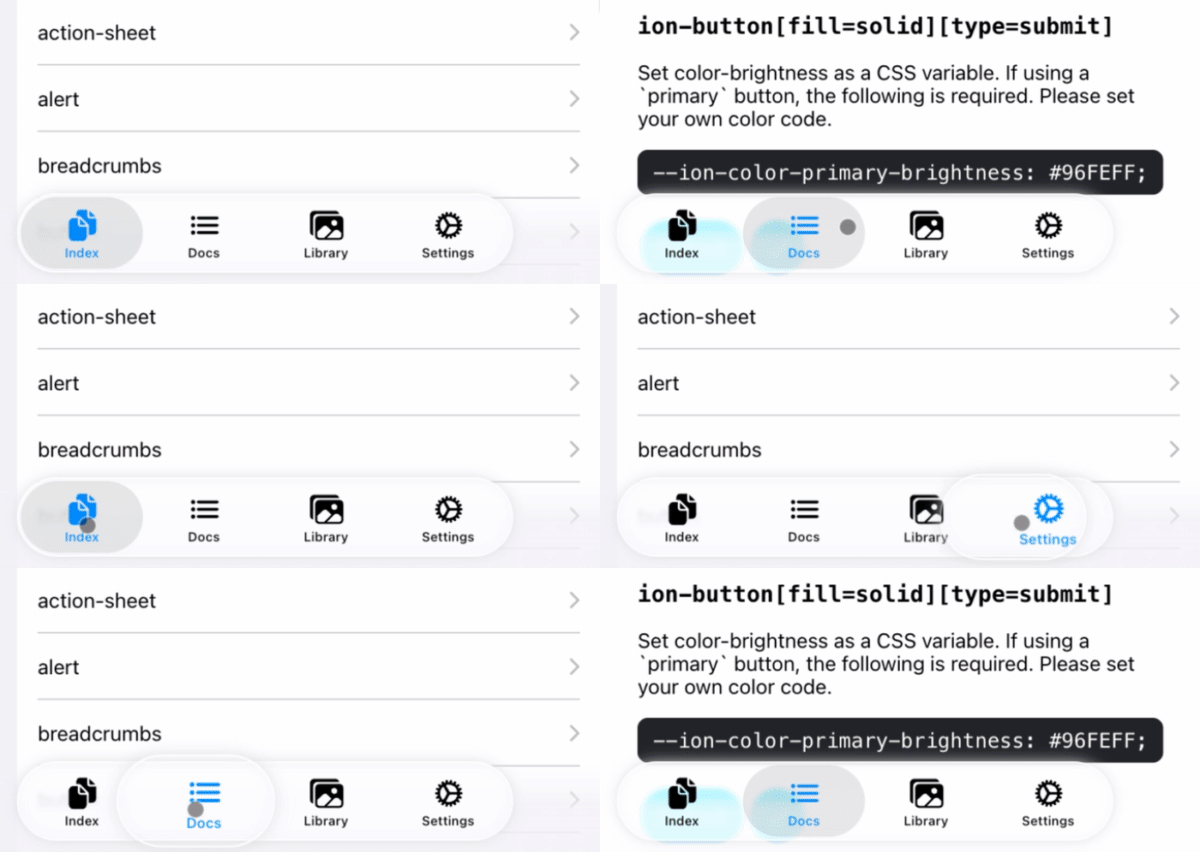
Sheet of Glass with ion-tab-button / ion-segment-button
By registering ion-tab-bar / ion-segment, you can display animation effects on ion-tab-button / ion-segment-button
import { registerTabBarEffect, registerSegmentEffect } from '@rdlabo/ionic-theme-ios26';

/**
 * Register DOM elements. Effects are applied using Ionic Gesture and Ionic Animation.
 */
const tabBar = document.querySelector<HTMLElement>('ion-tab-bar');
const segment = document.querySelector<HTMLElement>('ion-segment');
const registeredTabBarEffect = tabBar ? registerTabBarEffect(tabBar) : undefined;
const registeredSegmentEffect = segment ? registerSegmentEffect(segment) : undefined;

const destroy = () => {
  /**
   * If the registered DOM element is removed (e.g., due to page navigation),
   * make sure to destroy the gesture and animation. This will also remove the event listeners.
   * You can re-register them if needed.
   */
  registeredTabBarEffect?.destroy();
  registeredSegmentEffect?.destroy();
};
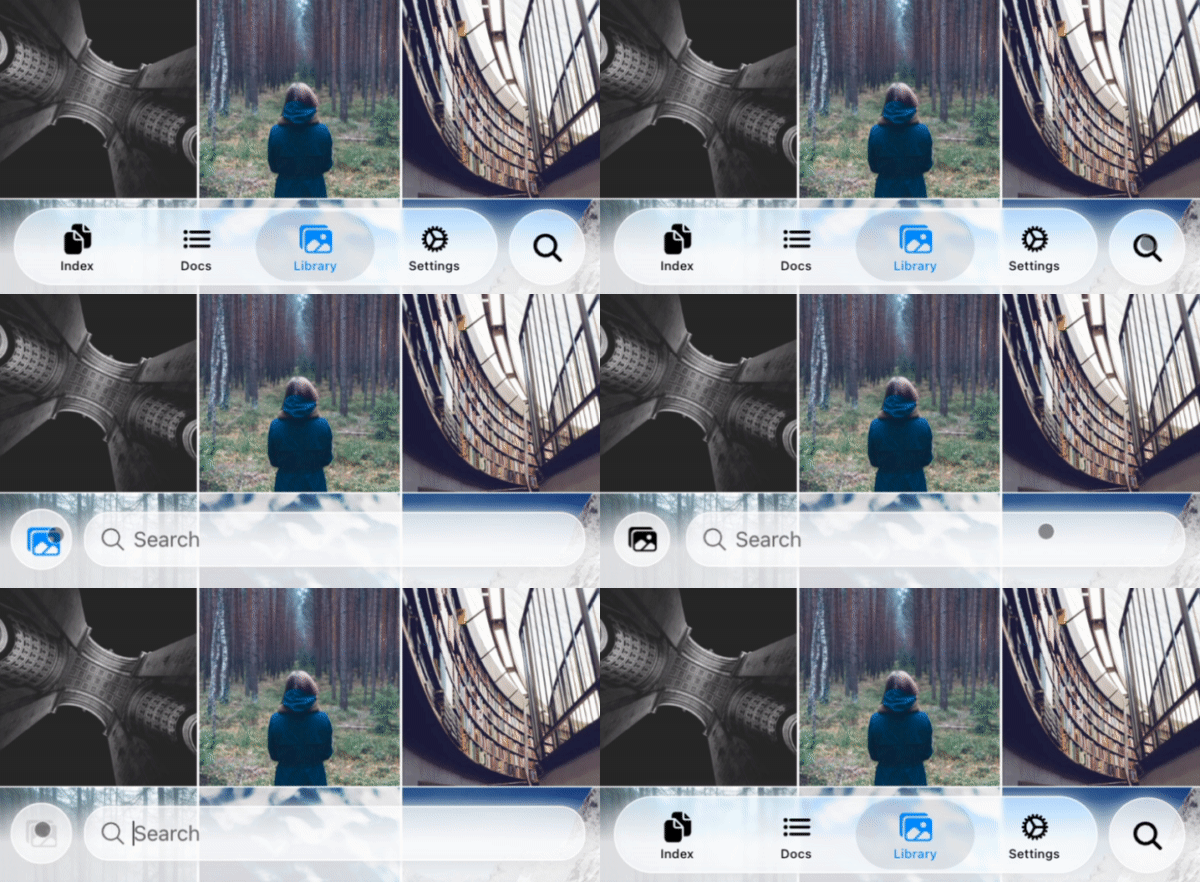
TabBarSearchable: Searchable with ion-tab-bar and ion-fab-button
Enable Searchable for the DOM structure with the specified markup inner ion-tabs.
<ion-content>...</ion-content>
<ion-fab vertical="bottom" horizontal="end" slot="fixed">
  <ion-fab-button (click)="present($event)">
    <ion-icon name="search"></ion-icon>
  </ion-fab-button>
</ion-fab>
<ion-footer [translucent]="true">
  <ion-toolbar>
    <ion-buttons slot="start">
      <!-- ion-icon name is set dynamically by the animation -->
      <ion-button fill="default"><ion-icon slot="icon-only"></ion-icon> </ion-button>
    </ion-buttons>
    <!-- User set `ionChange` or other events. -->
    <ion-searchbar (ionChange)="example($event)"></ion-searchbar>
  </ion-toolbar>
</ion-footer>
import { attachTabBarSearchable, TabBarSearchableType } from '@rdlabo/ionic-theme-ios26';
import type { TabBarSearchableFunction } from '@rdlabo/ionic-theme-ios26';

let searchableFun: TabBarSearchableFunction | undefined;
const initialize = () => {
  // attachTabBarSearchable has state. You should initialize per page.
  const tabBar = document.querySelector<HTMLElement>('ion-tab-bar');
  const fabButton = document.querySelector<HTMLElement>('ion-fab-button');
  const footer = document.querySelector<HTMLElement>('ion-footer');
  if (!tabBar || !fabButton || !footer) {
    return;
  }
  searchableFun = attachTabBarSearchable(tabBar, fabButton, footer);
};

const present = (event: Event) => {
  searchableFun!(event, TabBarSearchableType.Enter);
};

const dismiss = (event: Event) => {
  searchableFun!(event, TabBarSearchableType.Leave);
};